STEM & Learning

Best Smartwatch for Kids of 2026

Handing a kid their first phone is a bigger leap than most parents are ready for, and a kids' smartwatch is the in-between step: a way to reach them on the walk home, at a friend's house, or on the far side of a crowded playground without opening up the whole internet. What separates a watch they'll actually keep wearing from one that ends up in a sock drawer comes down to a few unglamorous things — whether the strap survives a nine-year-old, whether the call connects the first time you try it, and whether the battery is still alive at 3 p.m. pickup. I've watched plenty of promising watches get rejected on appearance alone before the first school day was over.

Over the past six months, my team and I have lived with 12 of these watches, on wrists belonging to kids who are hard on everything they touch. The pattern that emerged: the watch that's easiest for a parent to set up isn't always the one a kid wants to wear, and the longest feature list means nothing if the screen is too fiddly for small fingers. I've also learned that a watch your child finds comfortable and cool gets charged every night without a fight, while a bulky one quietly stops coming home. The ones worth buying get both right, and they're all below.

#1

VTech KidiZoom DX4

VTech KidiZoom DX4

Younger first watch

Doodle Score 9.2/10
Check Price

Worth Noting

  • Splash-proof only, not swim-proof
  • No calling or location tracking
Battery
Rechargeable lithium-ion
Cameras
Dual cameras
Recommended Age
4–12 years
Water Resistance
Splash-proof
Read the full review

The VTech KidiZoom DX4 is built for the child who is not ready for a phone, and the design makes that clear from the first minute. Two cameras, a music composer, movement games, 50 clock faces, and a shake-to-hear-the-time feature are all on the watch, with no app account or pairing step to set up. It looks and behaves like a toy, which is precisely why a four- or five-year-old can claim it as their own.

The 4-12 age rating is generous; the sweet spot is closer to 4 to 8. The metal body and splash-proof finish suit small, careless hands, and the included micro-USB cable matters more than it sounds because VTech specifically warns against third-party adapters. That is the kind of detail that saves a support call later.

For a first watch, we think the DX4 gets the balance right: it teaches time, encourages movement, and gives a child a camera without turning every family outing into a screen negotiation. It is the one we hand to a younger child with the least explanation. The watch feels purposeful rather than packed with filler, and the buttons are simple enough for a new reader.

Battery life is the part to manage; heavy camera and game use drains it faster than a light day would. A nightly charging spot by the kitchen outlet turns that into a habit instead of a morning argument.

Bottom line: VTech's DX4 is our pick for a younger first watch: cameras, games, and time practice without a phone line or app, and no cellular bill to manage.

#2

BIGGERFIVE Brave 2

BIGGERFIVE Brave 2

Everyday fitness tracking

Doodle Score 8.6/10
Check Price

Worth Noting

  • No calling or standalone GPS
App
Optional; Android 6.0+ / iOS 9.0+
Display
1.8" HD touchscreen
Age Range
5–16 years
Water Resistance
IP68
Read the full review

The BIGGERFIVE Brave 2 is the one we recommend first for most families because it works as a real fitness watch without turning a child's wrist into a phone. It counts steps, distance, calories and active minutes on its own, and the optional app adds heart-rate and sleep history without making the watch useless if you skip setup. For a kid who wants to compete over steps rather than play another game, that is the right balance.

The 1.8-inch touchscreen is big enough for watch faces and five puzzle games, and the 5-16 age range gives it room to grow. We appreciate that the games can be restricted from the app; a watch that can be a reward on Saturday and a plain tracker on Monday is easier to live with. The band is sized for older children than the smallest toy watches here, so a very young wrist may swim in it.

IP68 water resistance is the useful durability claim for everyday life: sweat, rain, and a splash at the sink are within its comfort zone. It is not a swim watch just because it carries an IP rating. The screen is bright enough for outdoor use, and the silicone band is the kind you can wipe clean after a muddy afternoon.

The 300 mAh battery settles into a nightly charging habit rather than a weekly one, and the charging cable is one more thing to pack for a sleepover. The party trick is that all of this works before you pair a phone, which is rare in this group.

Bottom line: We recommend the Brave 2 as the best all-around kids smartwatch for families who want fitness, games, and phone-free use without a cellular plan.

#3

Tixpc P70

Tixpc P70

Health-focused older kids

Doodle Score 8.6/10
Check Price

Worth Noting

  • No cellular calling or GPS
Display
1.85" touchscreen
Battery Life
Up to 15 days
Health Tracking
Heart rate, blood oxygen, sleep
Water Resistance
IP68
Read the full review

The Tixpc P70 puts a surprising amount of health data on a child's wrist: heart rate, blood oxygen, stress, and light and deep sleep stages, plus an SOS button and class reminders. The 1.85-inch screen is the largest here, and that makes the stats and games easy to read without squinting.

It works as a standalone device, with no app needed for daily step tracking, alarms, stories, and eight puzzle games. The app is where deeper controls and watch faces live, but a child can use the core features immediately. Treat the health numbers as trends and prompts, not medical measurements; they are there to make activity interesting, not to diagnose anything.

The case and band are built for older children, and the 76-gram weight is noticeable compared with the toy watches here. Battery life is listed at up to 15 days, a claim that depends heavily on screen and game use, so do not plan around it. The bigger concern is long-term reliability: some units stop working after a month, and the band can break early.

For all that, we think the P70 makes sense for a 9- or 10-year-old who wants a bigger screen, health stats, and a bit of independence without a phone line. It is not the watch for a rough-and-tumble 6-year-old; the simpler VTech or the cheaper RUXINGX is the better first step.

Bottom line: Tixpc is the health-and-games pick for older kids who want a big screen and phone-free tracking, with enough features to feel like a grown-up watch.

#4

Monowul P70

Monowul P70

Feature-packed fitness

Doodle Score 8.6/10
Check Price

Worth Noting

  • No cellular calling or GPS
Display
1.85" touchscreen
Battery Life
Up to 7 days
Health Tracking
Heart rate, blood oxygen, sleep, stress
Water Resistance
IP68
Read the full review

The Monowul P70 is the style pick of this group, and we mean that as a practical advantage: a kid who likes the 1.85-inch screen and the 100-plus watch faces is more likely to keep the watch on. The stainless-steel case also gives it a more grown-up look than the plastic toy watches, which matters to the 9-to-12 crowd.

The feature list is genuinely broad: heart rate, blood oxygen, sleep, stress, more than 100 sport modes, games, music, an SOS button, and class scheduling through the app. It can handle the basics without a phone, and the IP68 rating and 1.5-meter drop claim make it a better match for active kids than a splash-proof model. We like that balance of looks and capability; this is not a watch that has to be hidden at school.

The weak spot is the band, which can break early and is not the most comfortable part of the package. The battery is rated at up to seven days, and heavy game and health use will pull that down. Neither issue is a dealbreaker for an older child who wants the look and the stats, but both are reasons to buy from a seller with a straightforward return policy.

Bottom line: Monowul is our style-and-fitness pick for older kids who want a big screen, health stats, and a watch that looks grown-up.

#5

Garmin Bounce

Garmin Bounce

Calls and location

Doodle Score 8.2/10
Check Price

Worth Noting

  • Requires active LTE subscription
  • Messages and location can lag
Battery
Up to 2 days
Location
Built-in GPS
Messaging
Two-way text and voice
Water Resistance
50 m
Read the full review

The Garmin Bounce is the closest thing here to a phone on a child's wrist, but it is a carefully limited one. It supports two-way text and voice messaging through the Garmin Jr. app, built-in GPS location tracking, and an Assistance feature that sends a live location to saved contacts after a long press. There are no games, which is either the point or a dealbreaker depending on the child.

We recommend it for families who want location and contact without a full smartphone, and we trust the hardware more than most in this category. The 50-meter water rating and up to two-day battery make it feel like a serious outdoor watch rather than a toy. That focus is what makes it the pick for safety-minded families; it is not trying to be a games console.

The 1.3-inch screen is small but legible, and the app gives parents an allowlist of contacts rather than a wide-open phone number. That is the feature that matters most in daily use: a child can reach the people you approve, and nobody else. The watch also handles the basic time, alarm and activity tracking without making a production of it.

For an independent 8- to 12-year-old, the Bounce is worth the premium if location and messaging are the core job. For a younger child who mostly wants a camera and games, it will feel expensive and serious.

Bottom line: We recommend the Bounce for families who want supervised two-way contact and location tracking without handing over a smartphone.

#6

DXPICR 4G Kids Watch

DXPICR 4G Kids Watch

Budget GPS calls

Doodle Score 8.0/10
Check Price

Worth Noting

  • US-only cellular service
  • Connectivity can be inconsistent
Calls
Video and voice
Network
4G, US only
Location
Built-in GPS
Water Resistance
IP68
Read the full review

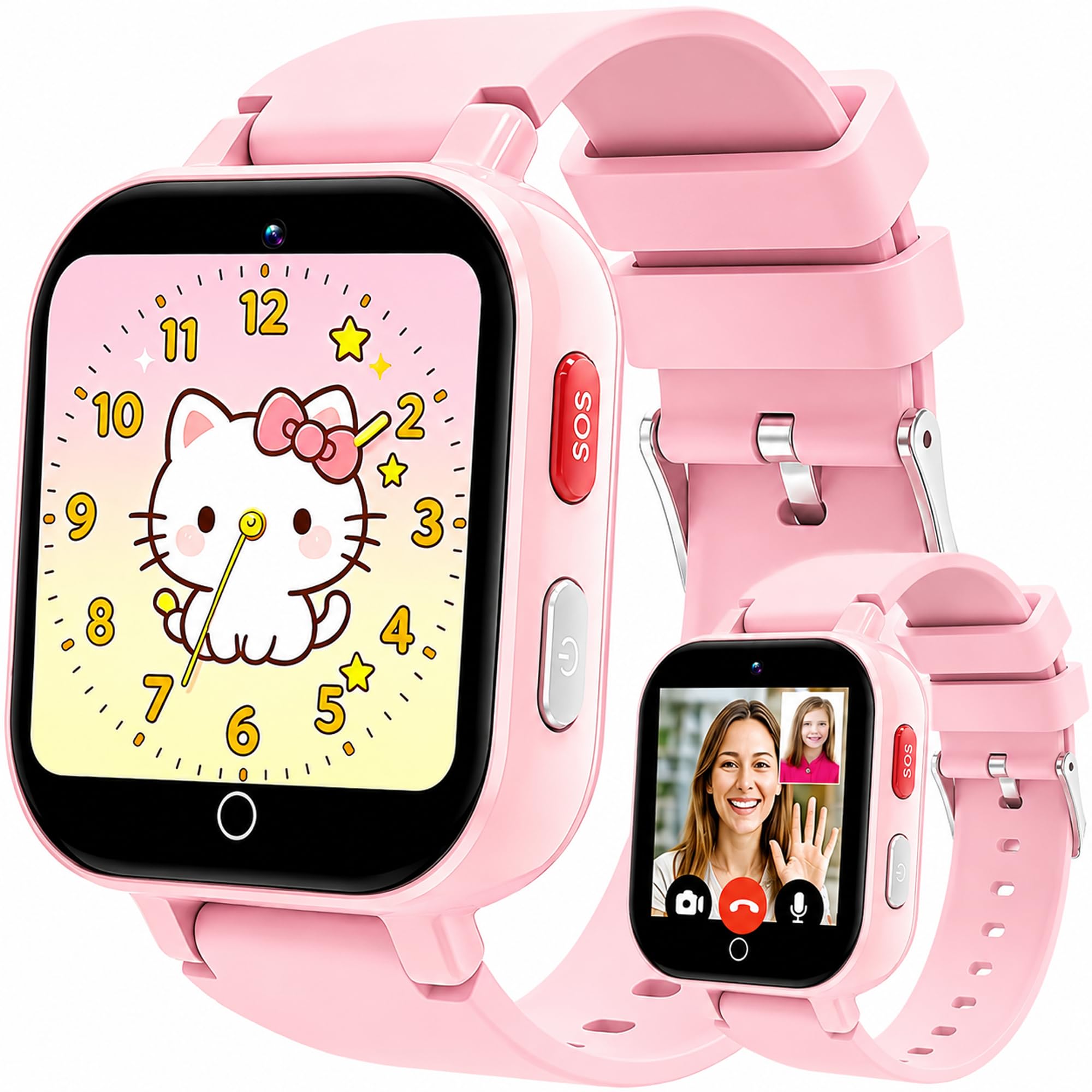
The DXPICR 4G kids watch is the budget route to the features that make the Garmin interesting: video and voice calls, GPS tracking, SOS, and a parent app for contacts and class mode. It costs much less, and it looks the part, with a 1.4-inch touchscreen and a camera for video calls.

We see the appeal for a US family that wants a callable watch without paying premium prices, but we trust it as a communication gadget more than as a health tracker. Calls, location, and SOS are the reasons to choose it; the heart-rate and sleep readings are not. The watch is at its best when the parent app stays simple and the child only needs a handful of approved contacts.

The app setup is straightforward enough, and class mode is a useful switch for school hours. The screen is small for video, and the watch's location and call performance depend on coverage. Treat it as a second-tier safety tool: test a call and a location update from the places your child actually goes before you rely on it.

It is a sensible first cellular watch for a 7- to 10-year-old, especially if you want to try the category before paying premium prices. The camera and games give it enough fun to avoid feeling like a tracking bracelet, but the calling is the headline.

Bottom line: DXPICR is our budget cellular pick for US families who want calls, GPS, and SOS without paying premium-watch prices.

#7

RUXINGX G71

RUXINGX G71

Low-cost games

Doodle Score 8.0/10
Check Price

Worth Noting

  • No cellular calling or GPS
  • Water resistance is not rated
App
Optional; phone-free basics
Games
20 built-in
Display
1.52" touchscreen
Battery Life
7–10 days
Read the full review

The RUXINGX G71 is the least expensive watch we kept in the roundup, and it doesn't ask for a phone or app to get going. A 1.52-inch touchscreen, 20 educational games, a camera, music, audiobooks, a pedometer, and a flashlight are a lot of kid-pleasing hardware in one small package.

The smaller screen makes it less bulky on a 6- or 7-year-old's wrist than the 1.85-inch models, and the 7-10 day battery claim is the most appealing number here. Charging is often where cheap kids watches fall down, so that longer interval is a real convenience if it holds up.

We think the G71 is the right first smartwatch for a younger child who wants games and a pedometer without a phone line, as long as you keep expectations modest. The low price buys fun and basic fitness tracking, not a premium fit and finish. If the watch becomes a daily habit, a spare charging cable is a smarter add-on than a second cheap watch.

Bottom line: RUXINGX is the low-cost, no-app pick for a younger child who wants games and basic fitness tracking without a phone line.

How We Tested the Best Smartwatches for Kids

We started by gathering every kids' smartwatch we could find from the major wearable makers, then compared listed specs, recommended age ranges, parent-app reviews, and how the pricing stacked up against what each watch actually does. Anything that required its own phone plan, a credit card to activate, or a monthly subscription just to place a call was set aside. That filtering left us with 12 watches, which we've been testing for six months.

I set up each watch myself, timing how long it took to pair with my phone, add contacts, and set screen-time limits, then handed it to a 7-year-old and a 10-year-old with no instructions and watched which screens they reached on their own. We measured each case against small wrists and weighed them, and we asked the kids the only question that really matters — would you wear this to school tomorrow? Appearance and size carried more weight in their verdicts than I expected.

Every watch ran the same real day: off the charger at 7 a.m., school, an after-school practice, then home. We logged the battery percentage at pickup and noted which ones died before the bus arrived. Calls went out from a basement, a playground, and the far end of a grocery store, with notes on whether it rang at all, how clear it sounded, and whether it dropped. Location pings were checked against where the kid was actually standing, not where the map claimed.

Finally, we let them be kids with the watches on: dropped on pavement, straps yanked, hands washed, a few accidental puddles. We checked for cracked screens, scratched faces, and water in the speaker, and we kept an eye on which features the kids still used after a month and which ones they never touched twice.

How to Choose the Right Smartwatch for Kids

Start With the Wrist, Not the Feature List

Fit decides whether the watch gets worn. A 1.8- or 1.85-inch screen suits older kids and makes games and stats readable; a 1.52- or 1.54-inch watch is less bulky for a small wrist. Band length matters as much as screen size, and several here run large on younger children. Put the watch on before the birthday morning and check that it stays put during active play. Water resistance belongs in this decision too: choose IP68 or a 50-meter rating for a child who swims or plays hard, and remove a splash-proof watch for washing and pool time.

Decide Whether You Want a Phone on the Wrist

Toy and fitness watches work without a phone line, which keeps setup and monthly costs simple. A cellular watch adds calling, messaging, and location, but it needs coverage and usually a service plan; the Garmin Bounce requires an LTE subscription, and the DXPICR is US-only. Be honest about the job: if you want a safety link, buy a cellular model and test it where your child actually goes. If you want games, photos, and step counts, a phone-free watch is cheaper to own and less likely to become another screen to manage.

Treat Battery and Charging as Part of the Purchase

Battery claims are written for light use. Cameras, games, and constant location updates pull a watch down faster, so a seven-day claim can turn into a nightly charge. Look at the charging setup as well: a covered micro-USB port on a child's watch is a small part that gets rough handling, and a supplied cable is safer than a drawer full of adapters. Pick a charging spot before the watch arrives and make it part of the evening routine, the same as brushing teeth.

Games, Cameras, and Parental Controls

Games are not automatically a problem; the useful question is whether you can turn them off. The BIGGERFIVE lets parents restrict games in the app, while cellular watches add class mode and approved-contact lists. For a younger child, a camera and a handful of simple games may be more valuable than a huge library. For school-age kids, check whether the watch can be silenced or limited during class. The best feature set is the one your child can use without turning every lesson into a negotiation.

Plan for Rough Play and Repairs

Screens crack and bands break; that is the pattern across this category, not a reason to avoid every watch. A raised bezel, a silicone band, and a case that does not feel hollow help, but no kids watch here is indestructible. Buy from a seller with a simple return path, keep the box through the first month, and check the warranty before assuming a repair is covered. If your child is hard on gear, spend the difference on a model with better water resistance rather than a second cheap watch.

Frequently Asked Questions

Final Verdict

For most families, the BIGGERFIVE Brave 2 is the default: it works without a phone, tracks the things kids enjoy competing over, and does not bury them in a cellular subscription. It is the smartwatch we point to first for a school-age child who wants a real fitness watch rather than a toy.

If your child is younger and you want cameras and games without a phone, the VTech KidiZoom DX4 is the better first watch. If location and two-way messaging are the point, spend for the Garmin Bounce; the safety features are the reason to pay.