STEM & Learning

Best Plug and Play Video Games for Kids of 2026

A rainy Saturday with cousins over is not the moment to discover your game console needs an account, a download, and a 45-minute update. Plug-and-play video games for kids are supposed to skip all that: plug the unit into the TV, hand over a controller, and let the first round start before the popcorn finishes. The best ones also keep a mixed-age group happy, with simple menus, enough game variety that nobody gets stuck on the same three levels, and a few games that get kids moving.

I tried 14 of these units over four months, from tiny retro-style boxes to family consoles with a dozen built-in games, and the differences showed up fast. Ease of use mattered most at first; if a kid couldn't get from box to gameplay without instructions, it lost points. After a few weekends, fun and reliability took over: games my kids asked to replay, controllers that survived drops on the rug, units that didn't freeze mid-race. Battery life and connectivity got checked, too. The picks below earned repeat play.

#1

Nex Playground

Nex Playground

Family active play

Doodle Score 9.4/10
Check Price

Worth Noting

  • Wider library needs a paid Play Pass
Players
4
Controls
No controller required
Connection
HDMI
Games Included
5
Read the full review

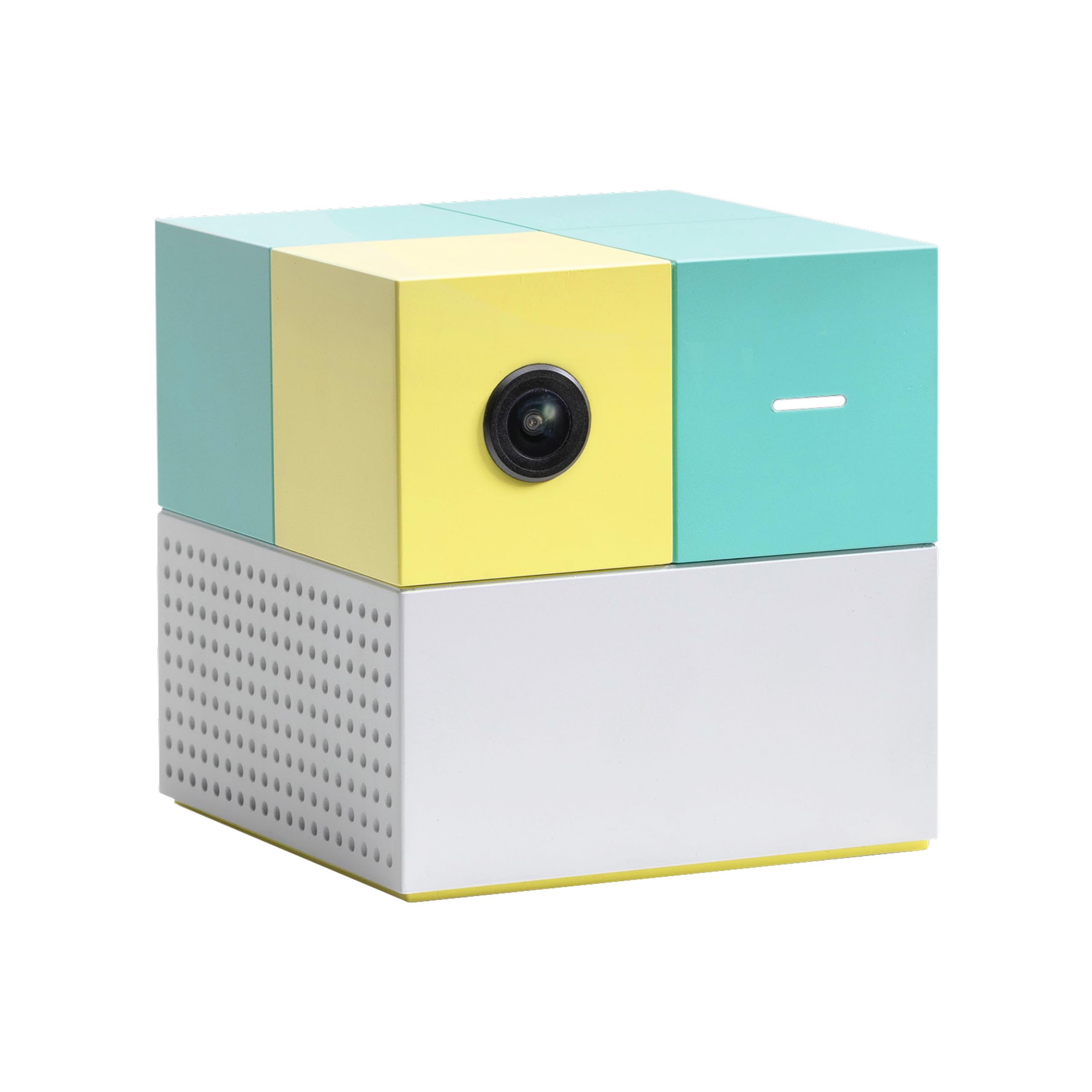
The Nex Playground is the only thing here that makes the living room itself the controller. A small box sits by the TV, watches the room through a wide-angle camera, and reads a jump, a swat or a sidestep as input. Setup is an HDMI cable and power, and the first game starts as soon as somebody steps into frame — no pairing, no controller to hand out, no explaining which button does what.

It's our top pick for one reason: everybody can play at once. Four players, five-year-olds and grown-ups in the same round, and nobody sitting out because the buttons are too small. Fruit Ninja and Whac-a-Mole are legible within seconds; Go Keeper and Party Fowl get loud and competitive fast. What surprised us is how much of the teaching the game does itself — you point at the screen instead of reading instructions aloud.

Five games come in the box: Fruit Ninja, Starri, Whac-a-Mole, Go Keeper and Party Fowl. Everything else — the exercise sessions, the brain workouts, the seasonal additions — arrives through Play Pass, a three- or twelve-month subscription. If your kids burn through a game a week, that belongs in the budget from day one. If they're the sort who will replay Fruit Ninja with a cousin for an hour, the included five carry more of the load than the count suggests.

Give it floor space. The camera wants a clear stretch between the players and the TV, and it does best in ordinary room light with nobody backlit by a bright window. A tight room with a coffee table parked in the middle is where this one stops feeling effortless — and a child who wants to play alone with headphones on is not who it's for.

Bottom line: Buy it if you want the whole family moving in front of the TV with nothing in their hands — and decide before checkout whether you're paying for Play Pass.

#2

LeapFrog PAW Patrol: To the Rescue

LeapFrog PAW Patrol: To the Rescue

Preschool TV play

Doodle Score 9.2/10
Check Price

Worth Noting

  • One game only; replay value depends on the child
Age
4+ years
Power
2 AA batteries
Players
1
Connection
HDMI game stick
Read the full review

If your four-year-old can name every pup, this plug-in ends the argument. PAW Patrol: To the Rescue is an HDMI stick, a wireless controller and a mission game built around Ryder's Pup Pad — Chase, Skye, Marshall, Everest, Zuma, Rocky, Tracker and Rubble all turn up, and the missions are shaped around the jobs they do in the show. We rate it the best character game here because the licence isn't a skin over generic levels: a child who knows the pups already knows what to do.

Play is simple in the way a first game should be. Pick a mission, follow the directions, solve the problem. Progress saves separately for each of five players, which matters more than it sounds in a house with two kids of different ages, and the Quick Challenge menu lets them replay anything they've already beaten. Directions and sequencing are what it teaches, and it teaches them without a wall of text.

It runs on two AA batteries that aren't in the box, so buy them with it or the gift lands flat. And because it's a TV stick, it depends on your television accepting it: plug it in the day it arrives rather than on a birthday morning, and if the picture doesn't come up, try a different HDMI port before deciding anything.

Bottom line: The right first TV game for a preschooler who already loves the pups — one game, done well, and easy enough to play without help.

#3

LeapFrog Game and Go

LeapFrog Game and Go

First handheld

Doodle Score 9.2/10
Check Price

Worth Noting

  • Fixed library
  • Content tops out around age five
Age
2+ years
Power
3 AAA batteries
Screen
LCD
Players
1
Read the full review

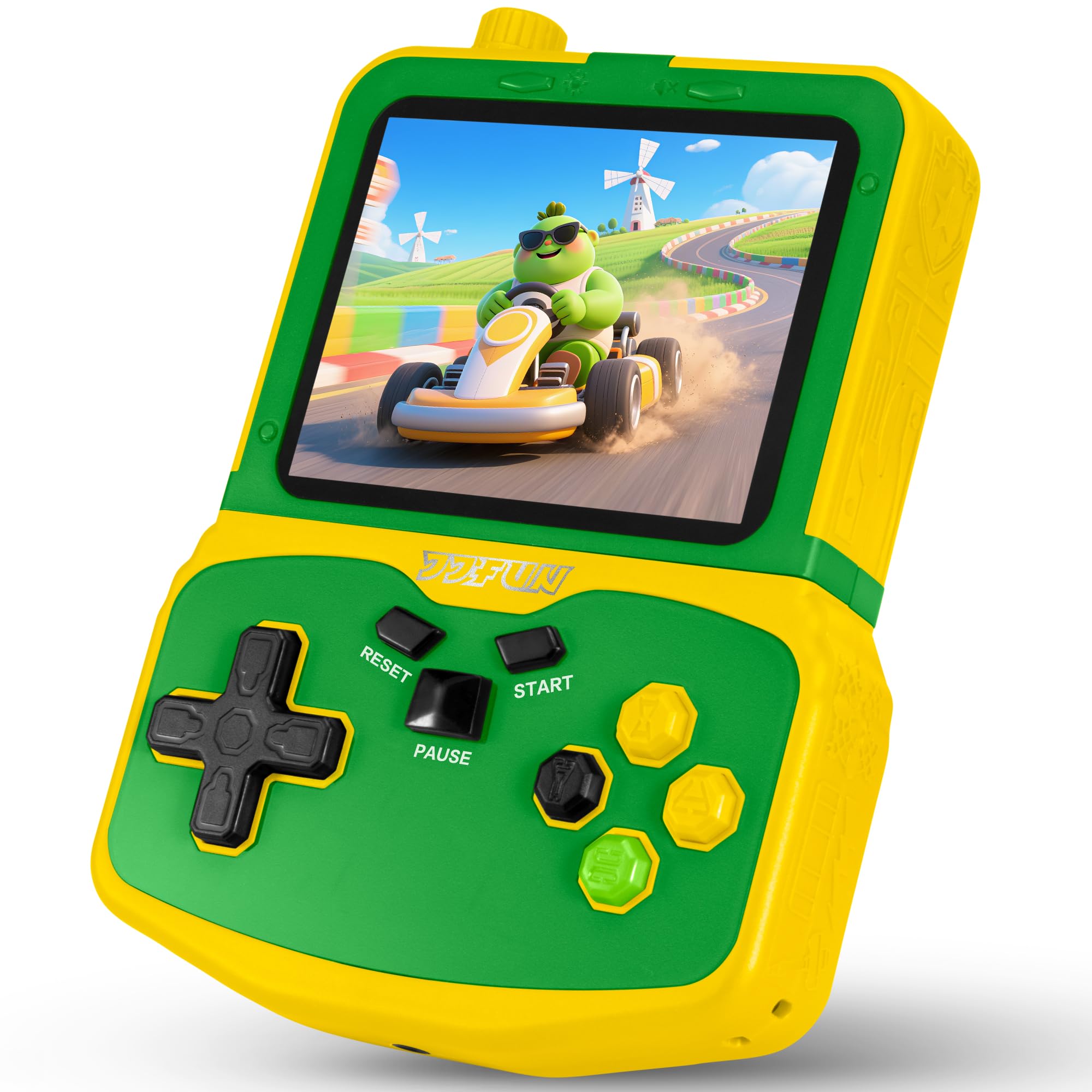
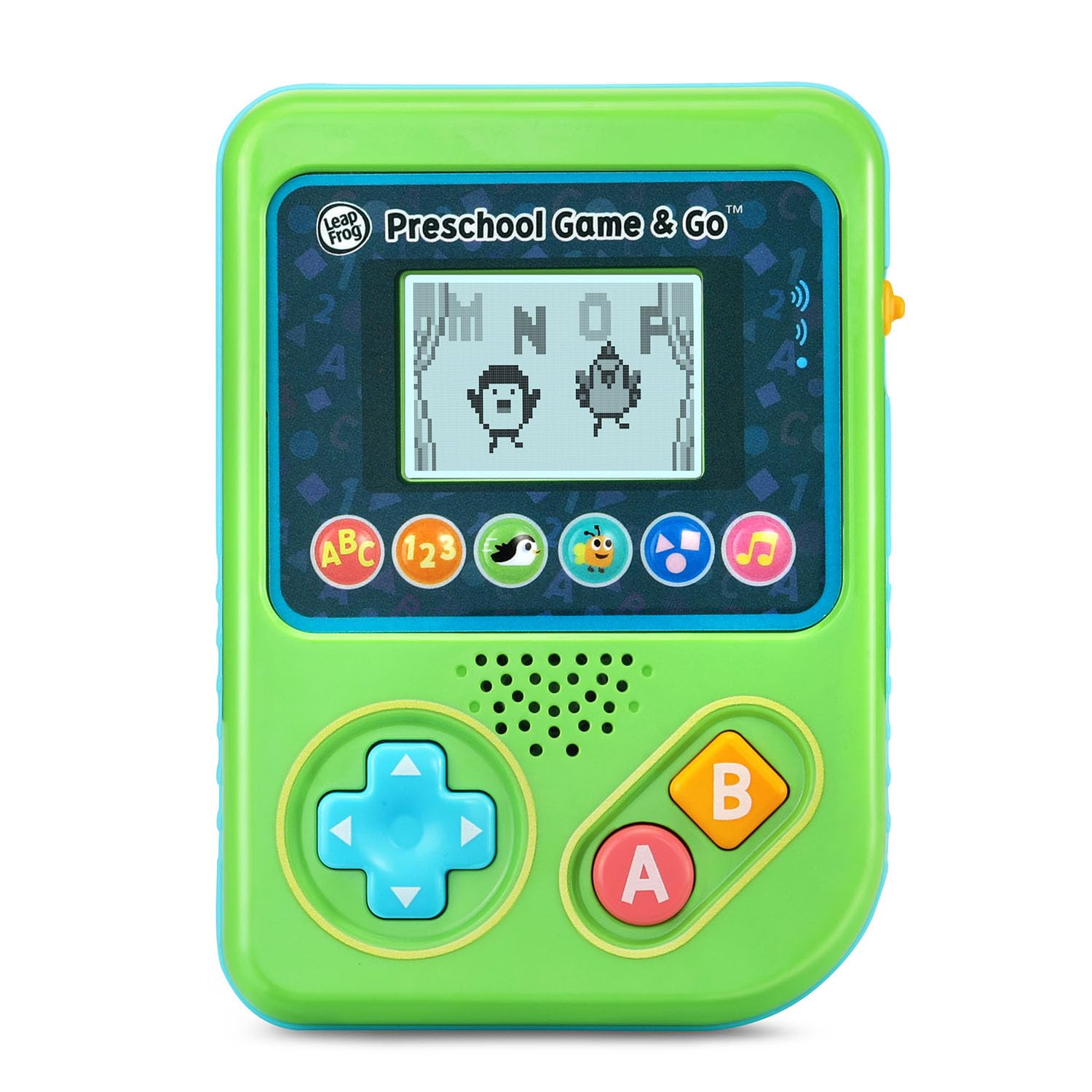
Two is very young for a video game, which is exactly the gap this fills. The Game and Go is a chunky green handheld with an LCD screen and a handful of mini-games built around letters, numbers, shapes, counting and music — pop bubbles for letter sounds, slide and jump to collect letters with a penguin, catch shapes with an ape. No TV, no pairing, no downloads, and nothing that needs a parent's phone.

We recommend it as the first handheld for a toddler because it's built to their scale in every sense. The games run at a pace a three-year-old sets; the buttons are big enough to hit by accident and still make something happen; and there's nothing to configure before play. The result is the thing parents actually want from a first game — a child who can start it alone and stop without a meltdown.

Three AAA cells run it, and the ones in the box are demo batteries, so put a fresh set in before a long drive. At 10.4 ounces with a wide body it's a two-handed device for a small child, comfortable on a lap and awkward to hold up in a car seat for an hour. That's the trade for buttons a toddler can actually find.

Bottom line: The best first video game for a two- to four-year-old: handheld, offline, and simple enough for them to work out alone.

#4

GuaiyeyeAP P32 Handheld

GuaiyeyeAP P32 Handheld

Travel and cars

Doodle Score 8.6/10
Check Price

Worth Noting

  • Only one player at a time
  • Few recognizable classics among the 220
Age
4+ years
Screen
3.0 in IPS
Battery
860 mAh
Games Included
220
Read the full review

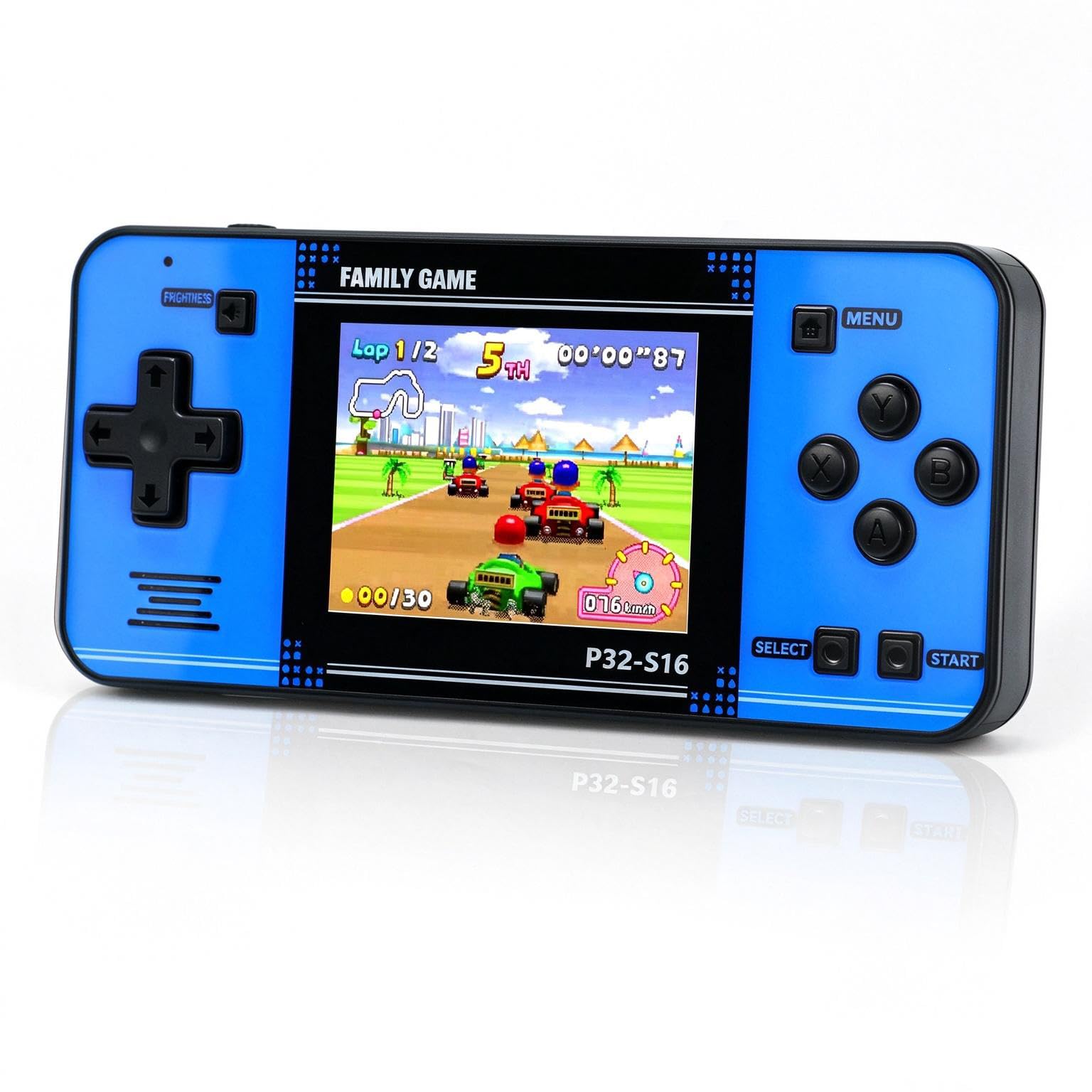
Two hundred and twenty games is a ceiling, not a promise. The P32 is a small arcade-styled handheld with a 3-inch IPS screen, a built-in library of 32-bit puzzle, casual and adventure titles, an 860 mAh battery and a body shaped for a child's hands. Somewhere in that list is one game your kid will play for a month, and plenty they'll skip in four seconds.

What sells it is the screen and the shape. The IPS panel stays bright and readable at an angle, which is the difference between a handheld a child actually uses and one that lives in a drawer; at 4.8 ounces it disappears into a backpack; and charging runs over USB, so there's one cable to pack and one to lose.

We recommend it as the travel handheld here. It's the one to hand a seven-year-old for a flight: nothing to connect, nothing to subscribe to, one player so no arguments about turns, and a screen that stays legible in a moving car. The trade-off is exactly that — one player means one child, and a 3-inch screen is not a shared experience.

Be honest with yourself about the library, too. The recognizable classics are a small slice of the 220, so buy it for volume and variety rather than for one particular title, and check the list against whatever your kid already loves. The 220 games are also the whole library: nothing gets added later, so the good ones have to carry a lot of hours.

Bottom line: For flights, car rides and waiting rooms, this is the handheld to buy — 220 offline games on a bright 3-inch screen, for one kid at a time.

#5

My Arcade Pac-Man Pocket Player Pro

My Arcade Pac-Man Pocket Player Pro

Retro arcade fans

Doodle Score 8.4/10
Check Price

Worth Noting

  • Recommended for ages 14 and up
  • No AA batteries or USB-C cable included
Age
14+ years
Power
4 AA batteries or USB-C
Screen
2.75 in
Players
1
Read the full review

The Pocket Player Pro is a miniature arcade cabinet first and a toy second, and that's the right way to judge it. It's officially licensed by Bandai Namco, it plays the real Pac-Man with the original sounds, and the 2.75-inch screen sits in a shell that looks like a shrunken cabinet. It earns its place as the retro pick here because nothing else in this guide gets the ritual right — pressing credit to add a coin, grabbing a short joystick, hearing the thing waka-waka at you.

At 4.8 ounces and barely an inch thick it drops into a coat pocket. There's a headphone jack for quiet cars and waiting rooms, a volume control, adjustable screen brightness and a built-in speaker for when nobody minds. Power comes from four AA cells or a USB-C cable, and neither is in the box, so add them to the order rather than discovering it on the drive.

The controls are the reality check: a short joystick and tightly packed buttons that reward short sessions more than marathon ones, and small hands will find it fiddly before they find it fun. One detail from the listing is worth repeating in capitals, because it decides the first impression — peel the protective film off the screen before anyone plays, or the whole thing looks blurry for ten minutes and gets blamed for it.

Bottom line: The one to buy for a kid who's already nostalgic for arcades — real Pac-Man, real arcade feel, and a device that asks to be handled carefully.

#6

SNONBROS 220-Game Handheld

SNONBROS 220-Game Handheld

Bigger-screen handheld

Doodle Score 8.4/10
Check Price

Worth Noting

  • Costs more than the smaller-screen handhelds
Age
4-12 years
Screen
3.5 in IPS
Battery Life
6 hours
Games Included
220
Read the full review

Three and a half inches is the reason to look here rather than at the smaller handhelds. The SNONBROS console runs the familiar 220-game retro premise — puzzles, action, sports, logic — on the biggest screen in this group, with three brightness steps and a built-in kickstand so it can stand on a tray table instead of being held up.

Around that screen is a light plastic body at 5.92 ounces and roughly five by four inches, with a volume knob, a mute function and a headphone jack that makes it viable in the back of a car without the entire trip listening to chiptunes. The listed battery life is six hours, which covers a long drive and not much more.

We keep it behind the P32 mainly on price, and that's the whole decision: you pay a little more for the larger screen and the more comfortable tabletop setup, and for a child who will actually look at the thing for an hour that's money well spent. The charging port is what decides how long any cheap handheld lasts, so keep the cable somewhere a child can't yank the console off a table by it.

Bottom line: The handheld to choose when screen size matters more than saving a little — bigger, brighter, and easier to set down on a table.

#7

Leyoutime AR Game Console

Leyoutime AR Game Console

Two-player blasting

Doodle Score 8.4/10
Check Price

Worth Noting

  • Library leans heavily on shooting games
Players
2
Includes
AR gun, 2 controllers, HDMI cable
Connection
HDMI
Games Included
100+
Read the full review

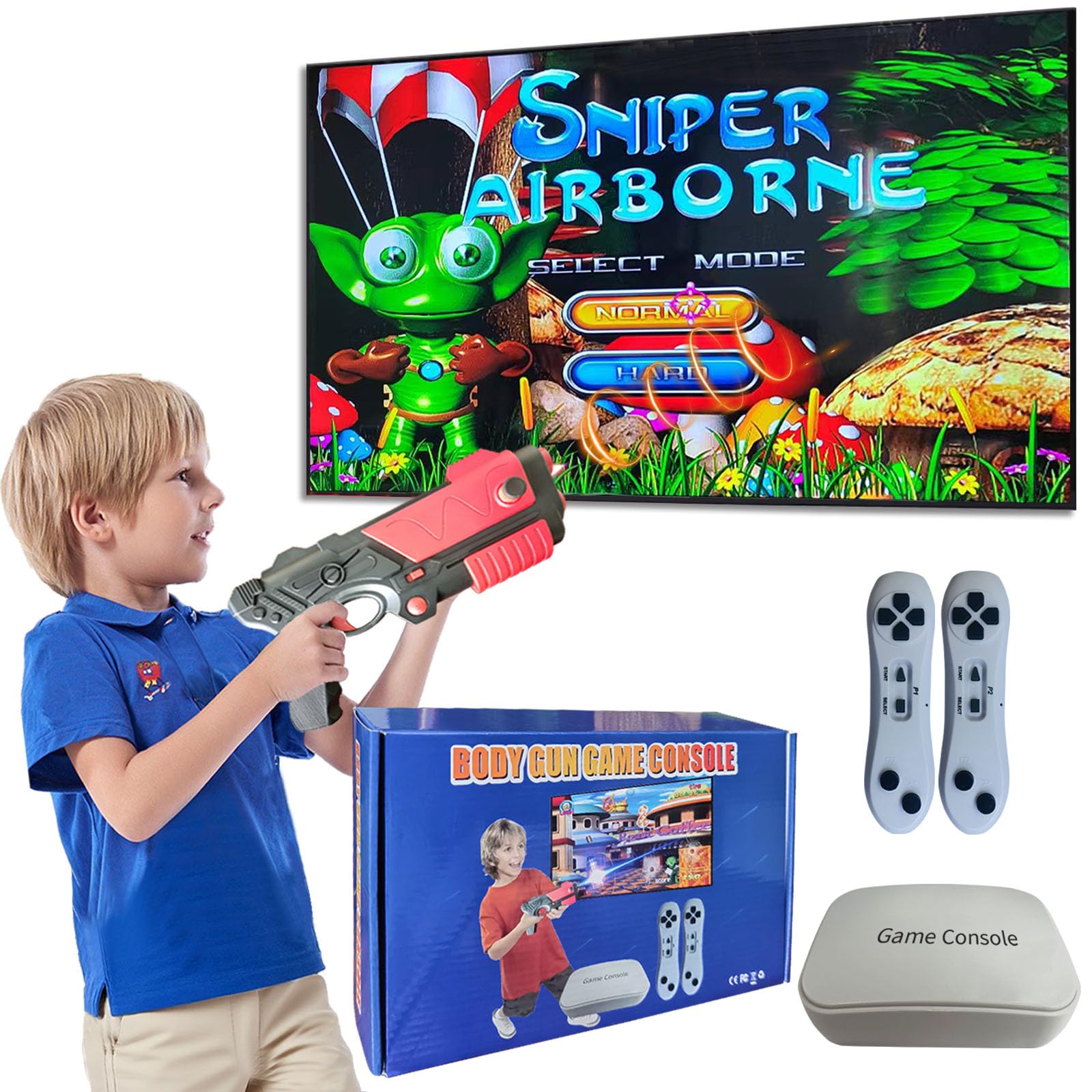
The reason to look at this one is the blaster in the box. Leyoutime's set is a small HDMI stick paired with two handheld controllers and an AR gun that vibrates when you fire, and 22 of the built-in games are built around shooting at the screen. Sports and motion titles and a large stack of puzzles fill out the rest of the library, so it isn't a one-trick box.

Two players can go at once, which no handheld here manages, and the whole thing is light enough to move between rooms or take to a grandparent's house. Setup is the usual HDMI-plus-power routine, and the controllers are conventional — buttons and a stick — so a child who has held any gamepad will be fine within a minute.

Aiming is the catch. Pointing a toy gun at a television takes calibration, and the first session involves a lot of a five-year-old learning where the screen thinks the barrel is pointing. Once it clicks, the shooting games are the most kinetic thing in this guide short of the Playground's camera play, and the vibration does a surprising amount of the work.

Where it earns its place is the combination: two controllers, a gun and a shared screen is something nothing else here offers, and for siblings who want to hit the same target it lands. The library is thin on the quiet, thinking stuff, though. This is the console for the loud half of the afternoon, not the rainy one where somebody wants to be left alone.

Bottom line: The pick for siblings who want to shoot at the same screen together — a blaster, two controllers and a shared TV.

How We Tested Plug-and-Play Video Games for Kids

We started by researching plug-and-play consoles sold for kids, filtering by built-in game library, controller style, TV connection, and price, then narrowed the field to 14 units. I tested them over four months in the living room after school, on Friday family game nights, during a sleepover, and through one rainy weekend when the tablet was dead. The goal was simple: see which units got played without an adult hovering.

From the moment each box opened, I timed setup and handed the controller to kids without giving instructions. I watched whether the menu made sense, whether a second player could join without a scavenger hunt, and whether the unit recognized older and newer TVs without cable fuss. Units that needed a manual or a reset before the first game fell out of contention. I also noted controller battery life, including whether a recharge or fresh batteries interrupted a session.

Then we lived with them. I tracked which games got requested again, which were one-and-done, and whether the controls felt responsive enough for younger players. I paid attention to family-friendly content and difficulty across mixed ages, and to how many games actually worked for a 5-year-old and a 9-year-old in the same room. Activity mattered too: some games got kids standing and swinging, while others kept them seated. We counted repeat play, not just launch-day excitement.

Finally, we stress-tested the hardware: dropped controllers on a rug, wiped sticky fingerprints off buttons, and packed a couple into a bag for a road trip. We tracked freezes, controller dropouts, and resets. Value came down to how many built-in games earned repeat play versus how many were filler. The units that held up without babysitting are the ones below.

How to Choose Plug and Play Video Games for Kids

Buy a game or buy a system

The fastest way to sort this category is to ask what arrives in the box and what doesn't. Some products are one game wearing a character licence: PAW Patrol: To the Rescue is a single mission game, finished when it's finished. Others are systems with a small starter library and a subscription behind it, which is how the Nex Playground works. Handhelds sit in a third place, because everything they will ever play is already installed and nothing is added later.

For a child under six we lean toward the fixed-library model. It removes the renewal conversation entirely, there's no monthly bill attached to a toy, and nobody has to explain why the new games stopped arriving.

TV or handheld?

Both are plug and play, and they solve different problems. A TV system is communal — one screen, one audience, a reason for two kids to be in the same room — but it needs an HDMI port, a free socket and a bit of floor. A handheld needs nothing but batteries or a charge, which is why it wins in cars and waiting rooms and loses every argument about sharing.

The trap with cheap TV consoles is the connector. Some output composite video through a yellow plug and won't reach a modern set at all, so check that the box says HDMI before you order. Then plug any TV device in on the day it arrives, not the night before a birthday.

Match the age, not the game count

Two hundred and twenty games is a marketing number. The recognizable classics in a retro handheld are a small slice of that list, and a child will find three or four favourites and ignore the rest — which is fine as long as you're buying variety rather than one particular title.

Age matters more than volume. A two- or three-year-old needs big buttons and no setup; a four- to six-year-old does well with a character-led TV game and a single controller; a seven-year-old can handle a retro handheld or a camera game. Motion play adds a requirement the listing never mentions: clear floor in front of the TV and steady indoor light.

The parts that break first

These are toys that get dropped, and the failure points are predictable. On handhelds it's the charging port and the screen; on TV sticks it's the controller and, now and then, the handshake with one particular television; on anything with a screwed-down battery door it's the four AA cells nobody bought in advance. Buy where returns are easy, test it inside the first week, and keep the cable somewhere a child can't pull the device off a table by it.

Frequently Asked Questions

Final Verdict

For the family that wants everyone in the same room and moving with nothing to hand out, the Nex Playground is the pick — the most complete thing here, and the one that turns a console into something you do together. The subscription is the deciding clause rather than the hardware, so settle whether you're a five-games household before you spend.

If the budget points at one game for one preschooler, PAW Patrol: To the Rescue does that job with less fuss. And for the back seat, the P32 goes in a bag and asks nothing of anybody.