STEM & Learning

Best Learning Tablets for Kids of 2026

A kids’ tablet has to survive more than the occasional tumble. It gets dropped on the kitchen floor, stuffed into a backpack next to a leaky water bottle, and handed between siblings with sticky fingers—then expected to load a reading app before the car leaves the driveway. The best ones do all of that without turning every homework session into a buffering complaint. What you’re really buying is a small, sturdy computer with a kid-safe interface and enough speed to keep up with games and learning apps, not just a screen that plays videos.

I’ve watched my own kids ignore tablets that stutter between a drawing app and a math game, no matter how many educational titles came preloaded. We put 12 learning tablets through eight months of after-school homework, weekend road trips, and bedtime reading, paying close attention to speed, app compatibility, durability, and whether the educational games were actually worth returning to. The picks below are the ones that held up—and that my kids asked for again.

#1

VTech PAW Patrol Learning Tablet

VTech PAW Patrol Learning Tablet

PAW Patrol fans

Doodle Score 9.4/10
Check Price

Worth Noting

  • Six fixed activities; a five-year-old outgrows it
  • Batteries included are demo-only
Power
2 AA batteries
Extras
Alarm and cuckoo clock
Age Range
3-6 years
Learning Activities
Six
Read the full review

This is not a tablet, and that is the point. Everything it does is built in, so a four-year-old can hammer the six character buttons without any chance of ending up somewhere you did not choose. Those buttons teach letters, phonics, spelling, typing, math, patterns and the weather, with Chase and Skye voicing the prompts and short PAW Patrol animations rewarding the right answer.

We like it most for the age when a workbook gets refused and a cartoon gets accepted. The show is the sugar that carries the phonics, and six activities is enough to fill the ten minutes before dinner without becoming a device a child disappears into. In a group of tablets that all want to be handed over for an hour, that is a real distinction.

The ceiling is the same as the appeal: six activities, fixed, with no way to add more. A five-year-old in daily use will have seen everything inside a month, and there is nothing here to grow into. Buy it as a first tablet for a three- or four-year-old who already owns the toys, and expect to pass it down rather than up.

Two AA batteries run it, which means no charging cable to lose and no dead tablet on the drive to Grandma's. The clock, an alarm and a cuckoo clock with six faces and a choice of tones, is the feature that keeps it in use once the games have gone stale.

Bottom line: For a preschooler who already owns the toys, this is the tablet we point to: everything built in, nothing to download, and letters and numbers behind six PAW Patrol buttons.
#2

Amazon Fire HD 8 Kids

Amazon Fire HD 8 Kids

Everyday kid use

Doodle Score 9.2/10
Check Price

Worth Noting

  • No Google Play, so check your school app
  • Kids+ becomes a paid subscription after year one
Battery
Up to 13 hours
Display
8 in HD
Storage
64 GB
Age Range
3-7 years
Read the full review

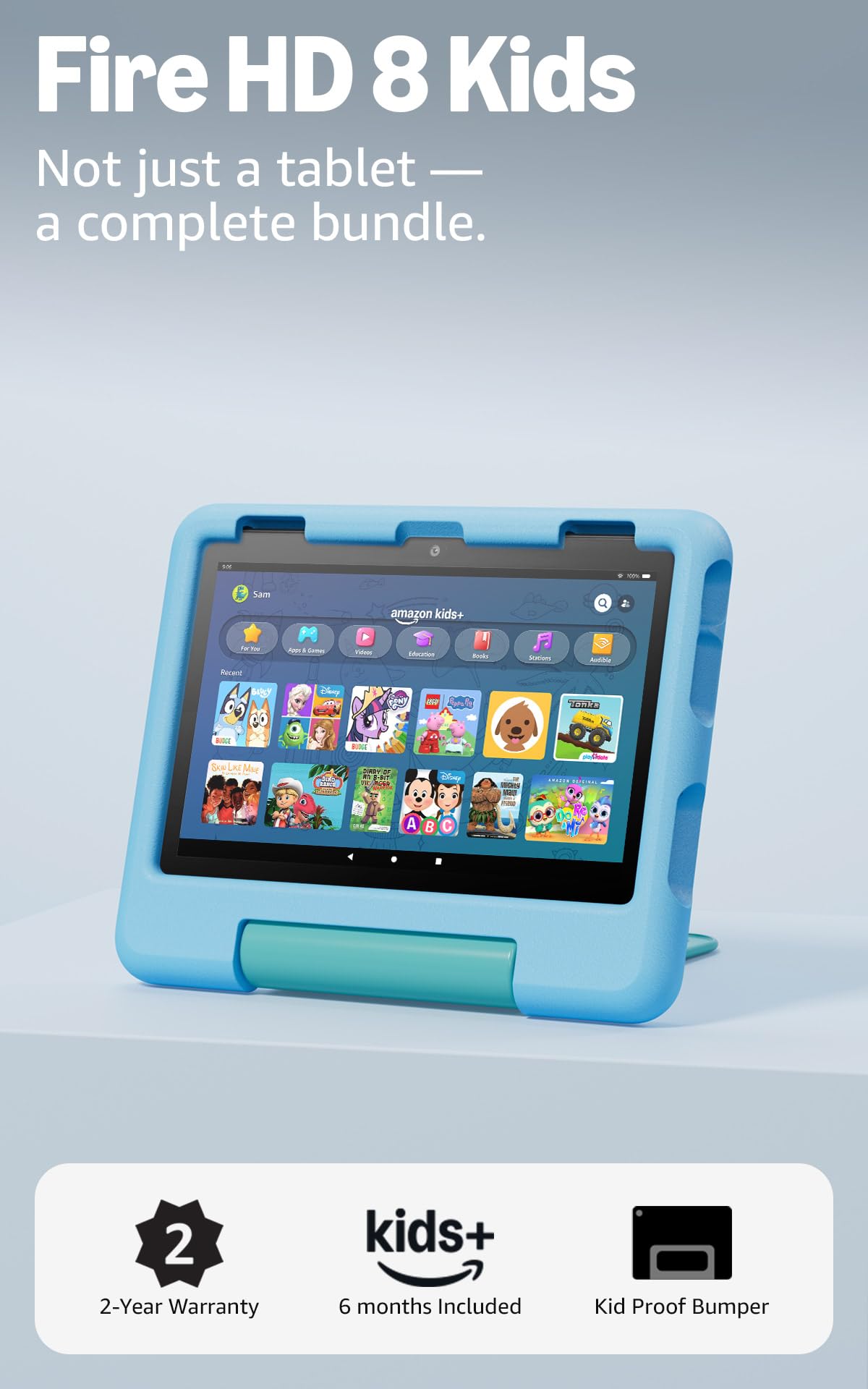
The two-year replacement guarantee is what settles this one for us. If the tablet breaks, it gets replaced, and for a family with a four-year-old that promise is worth more than any processor upgrade on this page. What sits inside the bumper is a real tablet rather than a toy with a picture of a screen: an 8-inch HD display, 4GB of memory and 64GB of storage, in a case thick enough to take the knocks a small child delivers.

The content is already there when you open the box. A year of Amazon Kids+ fills the tablet with ad-free books, games, videos and apps, and the parental controls behind them deserve an evening of your time: daily limits, age filters, a reading-first setting that puts books ahead of video, and the ability to review and change all of it from your phone without taking the tablet back. That last part matters more than it sounds, because a child who has to hand the tablet over to have a limit applied learns to argue about the limit.

Apps are the one thing we check before recommending it. There is no Google Play here, so nothing you own on an Android phone transfers, and the store is Amazon's. If your child needs one specific app, whether a school reader, a video service or a drawing tool, search Amazon's store for it before you buy; if it is not there, the Android pick below covers you. Speed is fine rather than fast: menus and kids' games move without complaint, and this is not the tablet to buy for a graphics-heavy game.

For everyday use it is the most complete package in this group: up to 13 hours of battery, a stand built into the case, and a screen big enough for picture books and small enough for a child to carry. The handle is the part children use most, because it turns the tablet into something they can move from sofa to car without asking.

Bottom line: The one we recommend to most families: a real 8-inch tablet with a year of ad-free kids' content and a two-year replacement promise behind it.

#3

LeapFrog 2-in-1 Touch and Learn

LeapFrog 2-in-1 Touch and Learn

Screen-free toddlers

Doodle Score 9.2/10
Check Price

Worth Noting

  • Fixed library that is outgrown around five
Power
2 AA batteries
Age Range
2-5 years
Touch Pages
Six per side
Learning Areas
14+ per page
Read the full review

Twist the handle and the tablet flips over. That is the whole design, and it is smarter than it sounds: six touch-activated pages on one side, six different ones on the other, with more than 14 learning areas on each. A child who has worn out the Pet Pal Puppies stories finds a second set waiting on the reverse, and nothing has to be bought, downloaded or charged.

What is on those pages is why we like it for two- and three-year-olds. The stories are read-along, a finger on a picture and the tablet talks, and around them sit shapes, animals, numbers, emotions and early science. There is no video, no reward loop, and no route out of the content you chose.

Set against a real tablet, it asks less of the child and gives less back. The library is fixed, the plastic pages invite fingernails, and by five most children will have worked through both sides. That is also the point at which a Fire starts to make sense. Until then, this is the device we hand over without a second thought about screen time.

The hardware is deliberately simple: two AA batteries, a chunky frame, and almost nothing that can break. If your child prefers being quizzed to being read to, the Think Academy pad below is the closer fit; for a child who wants a story before bed, this is the one.

Bottom line: We keep this one on the shortlist for two- and three-year-olds: a screen-free tablet that flips for a second set of stories, with no charger, account or download.

#4

Evermyth 10-Inch Kids Tablet

Evermyth 10-Inch Kids Tablet

Full app access

Doodle Score 9.0/10
Check Price

Worth Noting

  • The most expensive tablet in this group
Battery
6000 mAh
Display
10 in, 1280 x 800
Storage
64 GB, up to 1 TB
Age Range
3-12 years
Read the full review

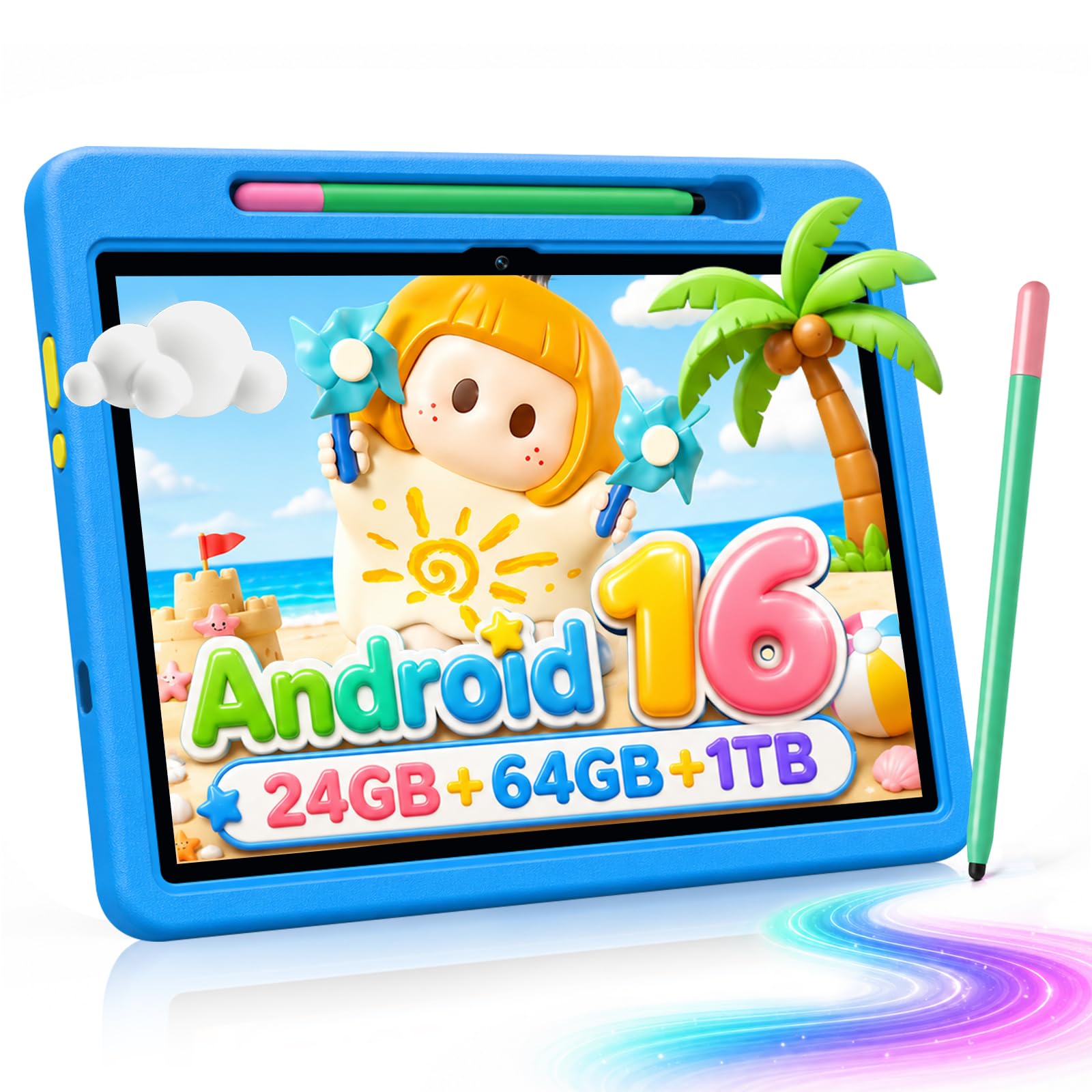
If the app your child needs does not exist in Amazon's store, this is the reason to look past our top pick. It runs Android 16 with Google Play behind a kids' space, so the school reading app, the drawing app and the video service you already use at home can all live on the same screen, and that screen is 10 inches.

The rest of the bundle is generous by the standards of this group: 64GB of storage that takes a microSD card up to a terabyte, a 6000mAh battery, a stylus, and a case with a stand that folds through 180 degrees. We are more persuaded by the size than by the numbers, because 10 inches is the difference between a child squinting at a picture book and reading it, and by not having to delete a game to install the next one.

The trade is that this is a budget Android tablet underneath the kid layer, with a much shorter track record than the Fire. We cannot promise it stays quick once a dozen apps are on it, and it is the most expensive tablet here. What you are paying for is Google Play and two more inches of screen, and for a family whose app list does not fit Amazon's store that is not a premium at all.

Everything needed on day one is in the box: case, stylus, stand, charger and cable, which is more than the other tablets here include. There is nothing extra to order before a birthday.

Bottom line: For families whose must-have apps live on Google Play, this is the one: a 10-inch Android tablet with a kids' space, case and stylus in the box.

#5

LeapFrog LeapPad Ultimate

LeapFrog LeapPad Ultimate

School readiness

Doodle Score 8.8/10
Check Price

Worth Noting

  • Dated hardware for the price
  • Some units stop powering on
Battery
Up to 5 hours
Display
7 in shatter-safe
Storage
8 GB
Age Range
3-6 years
Read the full review

LeapFrog sells this one on curriculum rather than hardware: a stack of school-readiness apps plus reading, music, problem-solving and creativity titles, with Just-for-Me technology that adjusts the difficulty as a child answers. For a four- or five-year-old heading into kindergarten, that is a more deliberate sequence than anything you will assemble yourself from an app store.

The rest of the package is shaped around the same age. A 7-inch shatter-safe screen with a built-in bumper, a stylus, and a kid-friendly browser that only opens sites vetted by learning experts. Battery life is quoted at five hours, which is a school morning rather than a road trip.

The hardware is where we hesitate. A 1GHz processor, 1GB of memory and 8GB of storage are a step behind everything else here, and the software is written to run on exactly that, so it works; it simply does not feel current, and the price sits closer to the 10-inch Android tablet above than to the toy tablets below.

Longevity is the other caution. Some of these run for years and some stop powering on or freeze, so buy where returns are straightforward and register the warranty on day one. What you are really paying for is the browser and the curriculum: a walled garden with a plan behind it, which is the reassurance LeapFrog sells better than anyone else in this group.

Bottom line: For a three-to-six-year-old whose tablet should feel like school in the best sense: a vetted, adaptive curriculum and a kid-safe browser on hardware that is showing its age.

#6

Think Academy Learning Pad X100

Think Academy Learning Pad X100

Early learning drills

Doodle Score 8.8/10
Check Price

Worth Noting

  • Cards need to sit squarely to register
Modes
Three
Pages
70 across four sets
Format
Screen-free pad
Age Range
3-8 years
Read the full review

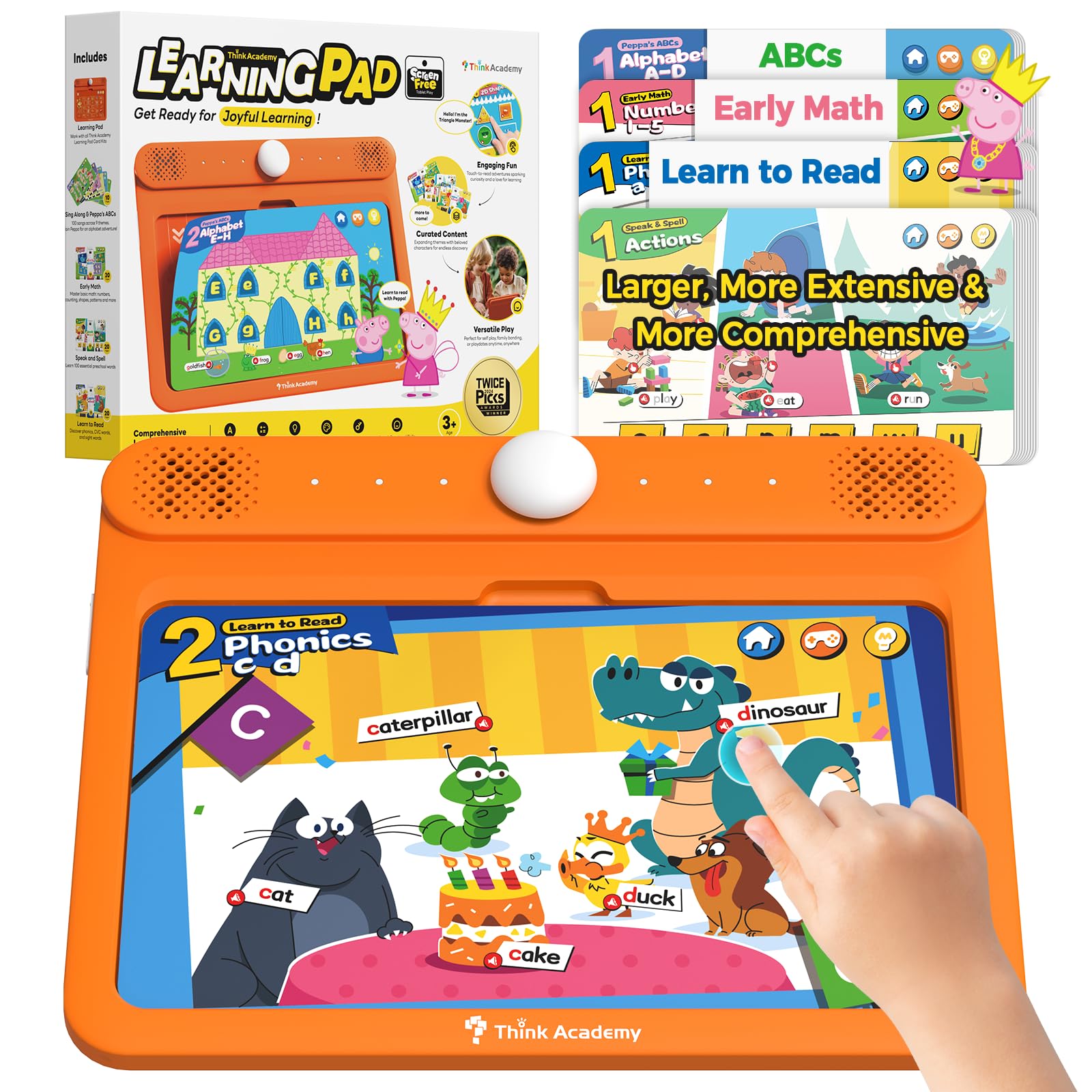
A session with this pad looks like a card going into a slot. The voice names what is on the card, then one of three modes turns that into something to do: explore the picture, answer the question, or take a hint and try again. That is why we like it. It is a quiz machine rather than a screen, and it holds a four-year-old's attention without a single frame of video.

There is more content here than the category usually gives you. Seventy pages across four sets cover the alphabet, early reading, early math, and nature and daily life, with three modes layered over the top so the same card can be a naming exercise, a question or a game. The voice prompts are clear enough that a child can work the pad alone after one demonstration, which is the difference between a toy you play together and one they reach for themselves.

Two things to know before you buy. Cards need to be seated squarely to register, which is fiddly for a three-year-old and means an adult on hand for the first few sessions. It also runs on three AA batteries, so there is no charger to pack but no topping it up in the car either. Neither is a dealbreaker for a household that wants a screen-free pad; both are worth knowing before a long trip.

Where it earns its place is volume: 70 pages to work through, more than either side of the flip tablet, and it never asks for an account, a password or a Wi-Fi network. For a screen-limited house, it is the least complicated thing on this page.

Bottom line: The screen-free pick we reach for with a three- or four-year-old: 70 quiz pages, three modes and voice prompts, with no app store anywhere in sight.

How We Tested the Best Learning Tablets for Kids

We started with a shortlist of about 30 kid tablets, then cut anything with vague age ratings, a locked-down app store that blocked common learning apps, or a price that didn’t match the hardware. That left 12 units, which we tested for eight months in the places these devices actually live: the kitchen table during homework, the back seat on weekend drives, and the floor after too many drops.

Speed and smooth operation got the most scrutiny. We timed how long each tablet took to open a reading app, switch from a drawing game to a video lesson, and wake from sleep, noting when taps lagged or apps stuttered. We also checked app compatibility against the learning platforms our test families already used, and watched whether the interface made sense to a kid without an adult hovering. Reliability meant seeing if the tablet behaved the same after weeks of daily use, not just on day one.

Durability and kid-friendly design were tested the messy way. We dropped each tablet from coffee-table height onto hardwood, packed it loose in a backpack with books, wiped sticky fingerprints with baby wipes, and let siblings hand it back and forth without swapping cases. We watched for cracked corners, loose ports, and cases that slipped off. For enjoyment and educational value, we tracked which games and lessons kids returned to on their own, and whether the tablet kept their attention beyond the first novelty week.

Quality showed up in firm buttons, screens that survived daily wiping, and parental controls that didn’t require a manual. We compared notes across families and kept using the tablets after the formal test period, because a kids’ tablet has to earn its place on the kitchen counter.

How to Choose Learning Tablets for Kids

Match the device to the age, not the number on the box

A 3-to-8 label describes a range, not a child. A three-year-old will use a fraction of what a full kids' tablet offers and spend the rest of the time asking you to unlock things. Below three, a light-up role-play toy with big buttons is the honest choice. From three to six, the real question is whether your child wants a story, like the LeapFrog flip tablet, or a quiz, like the card pads. From six up, you want a proper tablet with parental controls, because that is when a school app or a video call starts to matter.

We would rather see a family buy slightly below the top of a child's age band than above it. A tablet a child can operate alone gets used; one that needs an adult every ten minutes ends up in a drawer.

Decide whether you want a screen at all

Screen-free does not mean content-free. The card pad and the flip tablet in this guide teach letters, numbers, emotions and early reading with no display, and they are the easiest thing to hand over in a restaurant or a waiting room. The trap is the fixed library: nothing new arrives, and a bright five-year-old will work through it. If your child needs video calls, a reading app or schoolwork, you need a real display, and the parental controls do the policing instead of the hardware.

Work out what the content costs after you buy

The tablet is the cheap part. Amazon bundles a year of Kids+ and then renews it as a subscription; LeapFrog sells individual games on top of the ones that come loaded; and a Fire has no Google Play, so apps you already own on Android do not carry across.

Before you choose, name the three things your child will actually use, such as a school app, a video service and a reading scheme, and confirm each one exists in that device's store. That check takes five minutes and prevents most returns.

The case and the guarantee matter more than the processor

A four-year-old drops things. An 8-inch tablet with a bumper and a two-year replacement promise is a better purchase than a faster tablet without either, which is exactly why the Fire leads this list over devices with nicer hardware. Check that the case has a stand and a handle, that the screen is protected at the edges, and that the warranty covers accidental damage rather than only manufacturing faults.

Set up the controls before the first handover

The setup evening decides how the tablet gets used. Set daily time limits, filter content by age, require approval for every install, and put reading ahead of video if you want the device to lean educational. Do it before a child ever holds it. A child who has already found the video app will not accept a reading-first tablet calmly, and no control you add later undoes that.

Frequently Asked Questions

Final Verdict

The Fire HD 8 Kids is the tablet we point most families to. The two-year replacement promise and the bumper case defuse the thing that actually goes wrong, which is a drop, and the content is already installed before a child touches it.

Take the 10-inch Evermyth instead only if a Google Play app is non-negotiable. Take the PAW Patrol tablet if your child is three or four and the tablet is a treat rather than a tool.